What Is Automated Trading in NinjaTrader 8? A Complete Guide
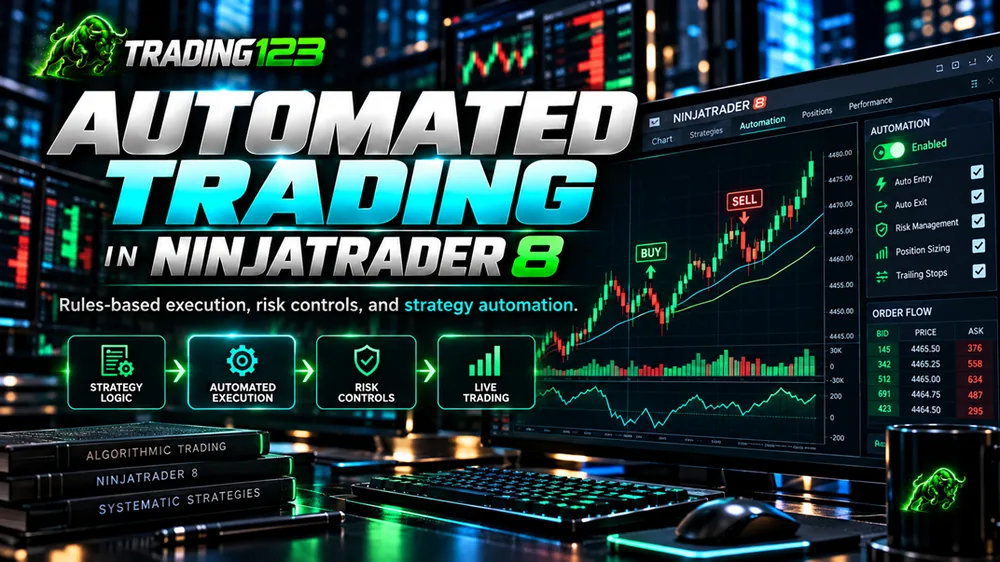
Automated trading lets a set of predefined rules place and manage your trades for you — no manual clicking, no second-guessing the entry. On NinjaTrader 8, that automation runs natively through strategies coded in NinjaScript, which watch the market and execute entries, exits, stops, and targets exactly as programmed. This guide explains how NinjaTrader automated trading actually works, what gets automated, the risk controls involved, and how to get started the right way.
What is automated trading?
Automated trading — sometimes called algorithmic trading or systematic trading — is the practice of turning a trading plan into a fixed set of rules that a computer executes on your behalf. Instead of deciding in the moment whether to buy or sell, you define the conditions in advance: when to enter, where the stop goes, where the target sits, and how the position is managed until it closes.
The appeal is consistency. A well-defined automated strategy follows the same rules on the hundredth trade as it did on the first, without fear, greed, or hesitation. It doesn't skip a valid setup because the last trade lost, and it doesn't move a stop out of hope. That discipline is the core reason many futures traders automate.
How automation works in NinjaTrader 8
NinjaTrader 8 is one of the most popular platforms for futures automation because the tools are built in. A NinjaTrader automated strategy is a program written in NinjaScript (NinjaTrader's C#-based language) that runs on a chart or data series. As each bar or tick updates, the strategy evaluates its rules and, when the conditions are met, submits orders directly to your broker.
Under the hood, strategies place orders through NinjaTrader's order-handling framework. Many robust automated systems use unmanaged orders — the approach NinjaTrader recommends for precise control — which help produce smooth entries and reversals with fewer overfills or missed trades. The result is a NinjaTrader trading bot that reacts far faster and more consistently than a human clicking a mouse.
You have two paths to get there:
- Code your own — if you know C#, you can build a custom strategy in NinjaScript and refine it over time.
- Use a ready-made strategy — install a proven automated strategy such as the Trading123 AlgoBot as a native add-on and configure it through settings instead of code.
What actually gets automated
When people ask what a bot "does," they usually mean the full trade lifecycle. A complete automated strategy handles all of it:
- Entries — the strategy opens a position when its rules trigger, whether that's a breakout, a pullback, or an order-flow signal.
- Stops — a protective stop is placed automatically the moment the trade fills, so risk is defined from the first tick.
- Profit targets — exits are set at predefined levels so gains are taken systematically rather than emotionally.
- Trailing stops & trade management — as price moves in your favor, the strategy can trail the stop, move to break-even, or scale the position according to its rules.
Because every one of these actions is rule-based, the strategy manages the entire trade for you from entry to exit — the part of trading where discretion and emotion do the most damage.
Risk controls: the part that matters most
Automation is not a shortcut around risk — it's a tool for enforcing it. The strongest reason to automate is that a machine will honor your risk rules every single time. Good automated futures trading is built on controls such as:
- Defined stop-loss on every trade — no position runs without a hard risk cap.
- Position sizing — fixed contract sizes, or sizing tied to account risk, so one trade can't blow up the account. Our free futures position size calculator shows how many contracts fit your risk, and if you trade a prop firm account the prop firm drawdown calculator shows how many losing trades your drawdown allows.
- Session and time filters — trading only the windows the strategy was designed for, instead of chasing every hour.
- Connection safeguards — some strategies flatten the position if the data feed drops, so you're not left exposed by a technical glitch.
Even with all of this, automated trading involves risk and requires appropriate configuration, monitoring, and risk management. The rules protect you only if they reflect the risk you can actually tolerate.
Strategies traders automate
Almost any rules-based approach can be automated, provided the logic is objective. Common examples on NinjaTrader 8 include:
- Opening range breakout — map the range around the session open and trade the breakout, breakdown, or reversal. See the Opening Range Breakout strategy.
- Order flow / volume delta — read real-time buying and selling pressure to time entries. See the Order Flow strategy.
- Trend and level-based systems — enter with the trend or react to key intraday levels, often using indicators as confirmation.
The AlgoBot is a fully automated example built for day trading the major futures — NQ, ES, YM, RTY, GC and CL — with configurable entry, stop, trailing-stop and profit-target settings.
Test before you trade live
No strategy should go straight to a live account. NinjaTrader 8 gives you two ways to validate an automated system first:
- Backtesting — the built-in Strategy Analyzer runs your strategy over historical data so you can study how it behaved across different conditions. Remember that past performance is not indicative of future results, and backtests are prepared with the benefit of hindsight.
- Simulated (SIM) trading — run the strategy on a paper-trading account in real time. Most disciplined traders run in SIM for a period before committing real capital, to confirm the setup, the data feed, and their own comfort with how it trades.
What you need to run it
Automated strategies run while NinjaTrader is open, so a stable setup matters. At a minimum you'll want:
| Requirement | Why it matters |
|---|---|
| NinjaTrader 8 | The platform that runs the strategy and routes orders. |
| A market data feed | Real-time data for the futures contracts you trade. |
| A stable computer | 16GB+ RAM and a reliable connection keep execution smooth. |
| A VPS (optional) | Keeps the bot running for overnight or unattended sessions even if your home connection drops. |
See the full system requirements and the getting-started guide before you install anything.
Automated trading vs manual trading
Neither approach eliminates risk, and automation isn't necessarily appropriate for every trader.
With manual trading, the trader analyzes the market, decides whether to enter, and manages the position personally. That provides considerable discretion — an experienced trader can choose to ignore a setup because of unusual market conditions or information that isn't incorporated into the trading system. The disadvantage is that every decision is subject to human behavior.
With automated trading, the software handles the decisions that have been programmed into it. The advantage is consistency. The disadvantage is also consistency: a computer follows its programming even when a human trader might decide that current conditions are unusual. That's why automated trading should still be monitored and managed responsibly.
Realistic expectations
Automation removes the mechanics and the emotion from execution — but it is not a money machine and not set-and-forget. You still need to keep the platform stable, review your settings as conditions change, and monitor performance. If you also trade with a prop firm, note that firms set their own automation and copier rules that change over time, so always confirm your firm's current policy before running an automated strategy on an evaluation or funded account.
Frequently asked questions
What is automated trading in NinjaTrader 8?
It means a strategy coded in NinjaScript places and manages orders for you based on predefined rules. Instead of clicking buy or sell, the strategy watches the market and executes entries, exits, stops, and targets automatically according to its logic.
Do I need to know how to code to automate a strategy?
No. You can code your own strategy in NinjaScript (C#), but many traders use a ready-made automated strategy such as the AlgoBot, which installs as a native add-on and is configured through settings rather than code.
Is automated trading set-and-forget?
No. Automation removes manual clicking and emotion from execution, but it still needs monitoring, a stable platform, and regular review of settings and risk.
Can I test an automated strategy before trading it live?
Yes. NinjaTrader 8 includes a Strategy Analyzer for backtesting on historical data, and you can run any strategy on a simulated (SIM) account first. Most traders backtest, then run in SIM before committing real capital.
What do I need to run automated trading on NinjaTrader 8?
NinjaTrader 8, a market data feed for the contracts you trade, and a stable computer — or a VPS for overnight uptime. Strategies run while the platform is open, so many traders use a VPS to stay connected.
Key takeaways
- Automated trading turns a rules-based plan into orders NinjaTrader 8 executes for you.
- A complete strategy automates entries, stops, targets, and trade management.
- The real value is disciplined risk control — a stop on every trade, every time.
- Backtest, then run in SIM before going live — and keep monitoring.
- You can code your own in NinjaScript or run a ready-made strategy like AlgoBot.
Automate your trading with AlgoBot
AlgoBot is a fully automated strategy for NinjaTrader 8 — automatic entries, stops, trailing stops and profit targets on the major futures, with rules-based execution and no emotion.
Disclaimer: Futures trading carries substantial risk of loss and is not suitable for all investors. Past performance is not indicative of future results. Automated trading involves risk and requires appropriate configuration, monitoring, and risk management. This content is for educational purposes only and is not financial advice.