
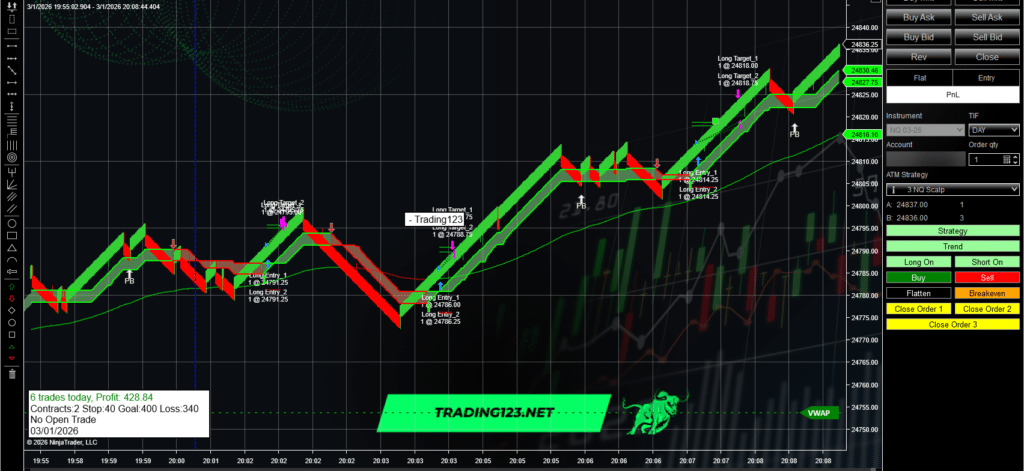
NinjaTrader 8 Strategy
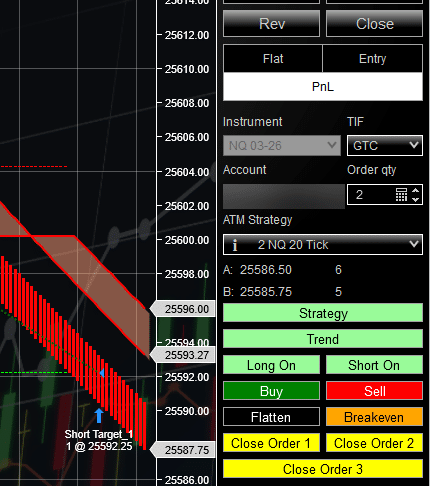
Eliminate hesitation and missed trades. Trade Manager follows your Trading123 indicator criteria to trigger entries, then automatically manages stops and exits — with optional confirmation when you want control.
Set your indicator rules → Trade Manager triggers the entry → It manages risk and exits automatically.
✅ Instant download • Installation guides included • Discord support
Pick the option that fits your trading style. Both include the Trade Manager strategy, setup guides, and support.
Billed every 3 months • Cancel anytime
Most popular to get started
One-time payment • Lifetime access
Own it once — trade it for years
Next: Choose 1 PC or 2 PC license on the checkout form below.
✅ Instant download • PDF manual + setup video • Discord support
Trade Manager connects to your Trading123 indicator criteria to help trigger entries and automatically manage risk. Use optional confirmation for control — or let it run hands-free.
Choose the Trading123 indicator conditions you want to trade (TrendLine, Cloud, AutoTrendLine, etc.). This becomes the rule-based trigger for entries.
Result: clear, consistent trade criteria.
When your criteria are met, Trade Manager can place the entry automatically — or require a confirmation click before it enters the trade.
Result: faster entries with control when you want it.
After entry, Trade Manager automatically manages stop loss, breakeven, trailing stop, and exits based on your settings — so you don’t have to micromanage.
Result: disciplined trade management under pressure.
Summary: Set your indicator rules → Trade Manager triggers the entry → It manages risk and exits automatically.
✅ Works on NinjaTrader 8 • Built for liquid futures • Setup guides + support included
Precision Order Management • NinjaTrader 8
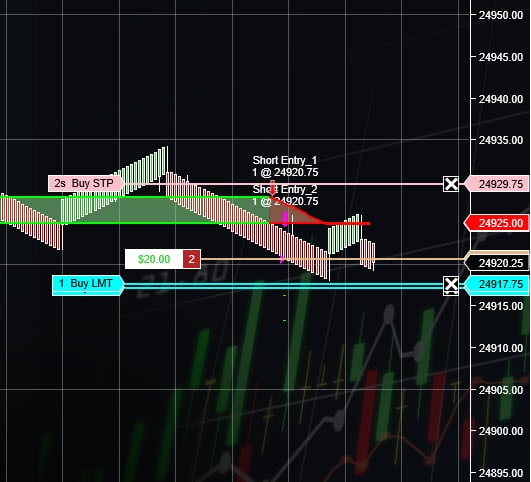
Trade Manager is a precision-built instrument designed to keep you locked into the action. Its advanced order-management engine places limit orders exactly where your profit target demands — on the tick, reducing missed fills, slippage, and “almost” trades that never reach your objective.
The result: a smoother, sharper trading flow where you stay synced with the market’s pulse — and clean setups don’t slip away.
✅ Instant download • PDF manual + setup videos • Discord support
Day Trading Co-Pilot • NinjaTrader 8
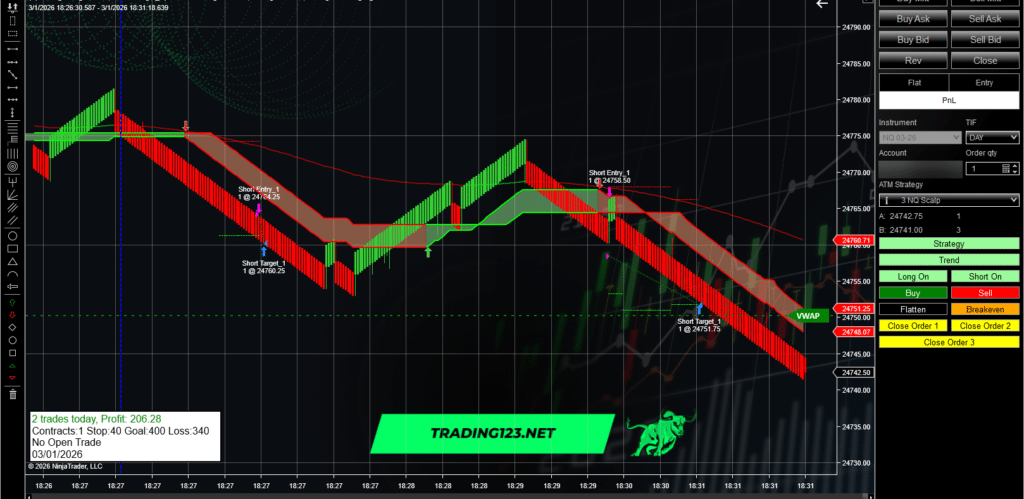
For a day trader, Trade Manager isn’t just another tool — it’s the closest thing to having a seasoned co-pilot riding shotgun during the frenzy of intraday swings. It doesn’t simply fire off orders… it orchestrates your entire trade flow with precision most manual execution can’t match.
The payoff is calm under pressure: stops adjust automatically, profit gets protected, and you stay focused on the next setup.
✅ Instant download • PDF manual + setup videos • Discord room access • All Sales are Final - No Refunds

Quick answers about Trade Manager, setup, licensing, and how semi-automated execution works - trusted trading tools since 2004.
Semi-automated with optional confirmation. Trade Manager can trigger entries from your Trading123 indicator criteria and you can choose whether it enters automatically or requires a confirmation click first. Once in a trade, it can automatically manage stop loss, breakeven, trailing stop, and exits based on your settings.
Trade Manager is designed to work with Trading123 indicators including TrendLine, Cloud, and AutoTrendLine. Your indicator rules become the trigger for entries.
Yes. After entry, Trade Manager can automatically manage stop loss, breakeven, trailing stop, and exits based on your settings — helping you stay protected without micromanaging.
You’ll receive:
You can choose a 3-month lease or lifetime access, and select a 1 PC or 2 PC license at checkout.
Yes — Trade Manager is built for NinjaTrader 8 (Windows)
Trade Manager is a Digital download for NinjaTrader 8. Please review compatibility (NinjaTrader 8, Windows) before purchase. License is issued for 1 PC or 2 PC based on your selection. Support is available for installation/setup Refund eligibity is covered in the Refund Policy and License Terms.